GPTPRO Top-Up Tutorial: One-Click Guide to Upgrade ChatGPT Plus/Pro in China
In China, many users are looking for reliable ChatGPT Plus proxy top-up and ChatGPT Pro membership upgrade channels. Recently, low-priced ChatGPT Plus proxy top-up services have been failing frequently. If you are looking for a stable way to upgrade to ChatGPT Plus, I recommend this original-price one-click upgrade GPT top-up system. It requires no password, is easy to operate, and has been running stably for nearly six months.
Low-priced ChatGPT Plus proxy top-up may be tempting, but OpenAI CEO Sam Altman has already taken notice of the related issues. Many users have received emails notifying them that the global unified price of ChatGPT Plus is $19.99. As a result, numerous low-priced ChatGPT Plus top-up channels have stopped working, and some services have even raised their prices to 200 RMB.
If you need a safe ChatGPT Plus proxy top-up or want to upgrade to a ChatGPT Pro membership, why not try this GPT one-click upgrade system? It has always kept upgrades at the original price, supports a tax-free method, and requires a one-time payment of $20. If the top-up fails, you get a 100% full refund!
GPT one-click upgrade system: https://gptpluszh.com/
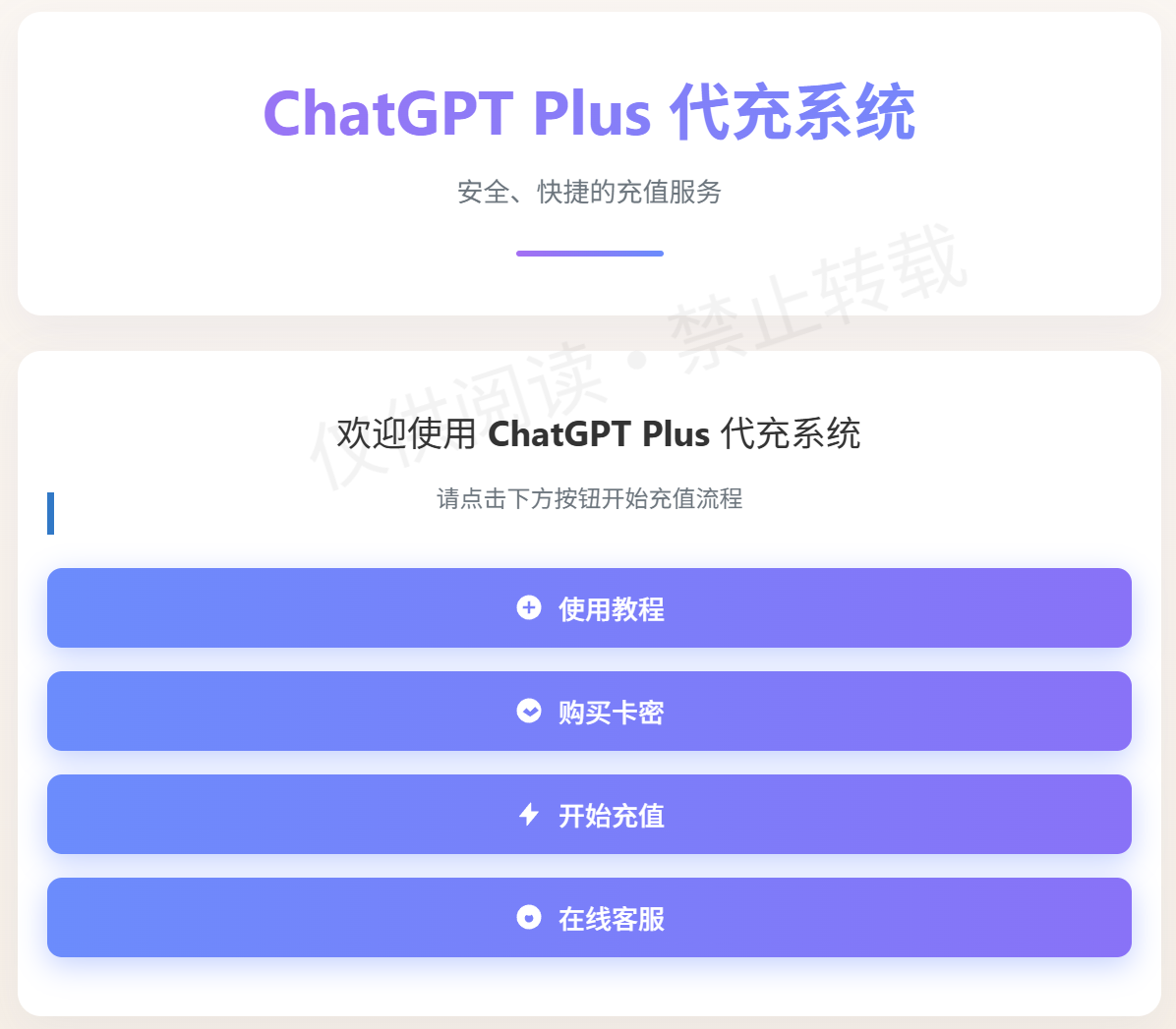
ChatGPT Plus Proxy Top-Up Process Explained: Simple and Efficient Upgrade Steps
This ChatGPT Plus one-click upgrade system is designed specifically for users in China and supports ChatGPT Pro membership proxy top-up. Below is the detailed top-up process to ensure you can complete the ChatGPT Plus upgrade with ease.
Domestic ChatGPT Plus top-up system address: https://gptpluszh.com/
(1) After entering the ChatGPT upgrade system, click "Purchase Card Key" and you'll be redirected to the shop. After paying via WeChat, the system automatically issues your card key. This is the first step of the ChatGPT Plus proxy top-up.
(2) Click [Start Top-Up] to enter the page, then paste the card key you just received for verification. This verification process ensures the safety of your ChatGPT Plus upgrade.
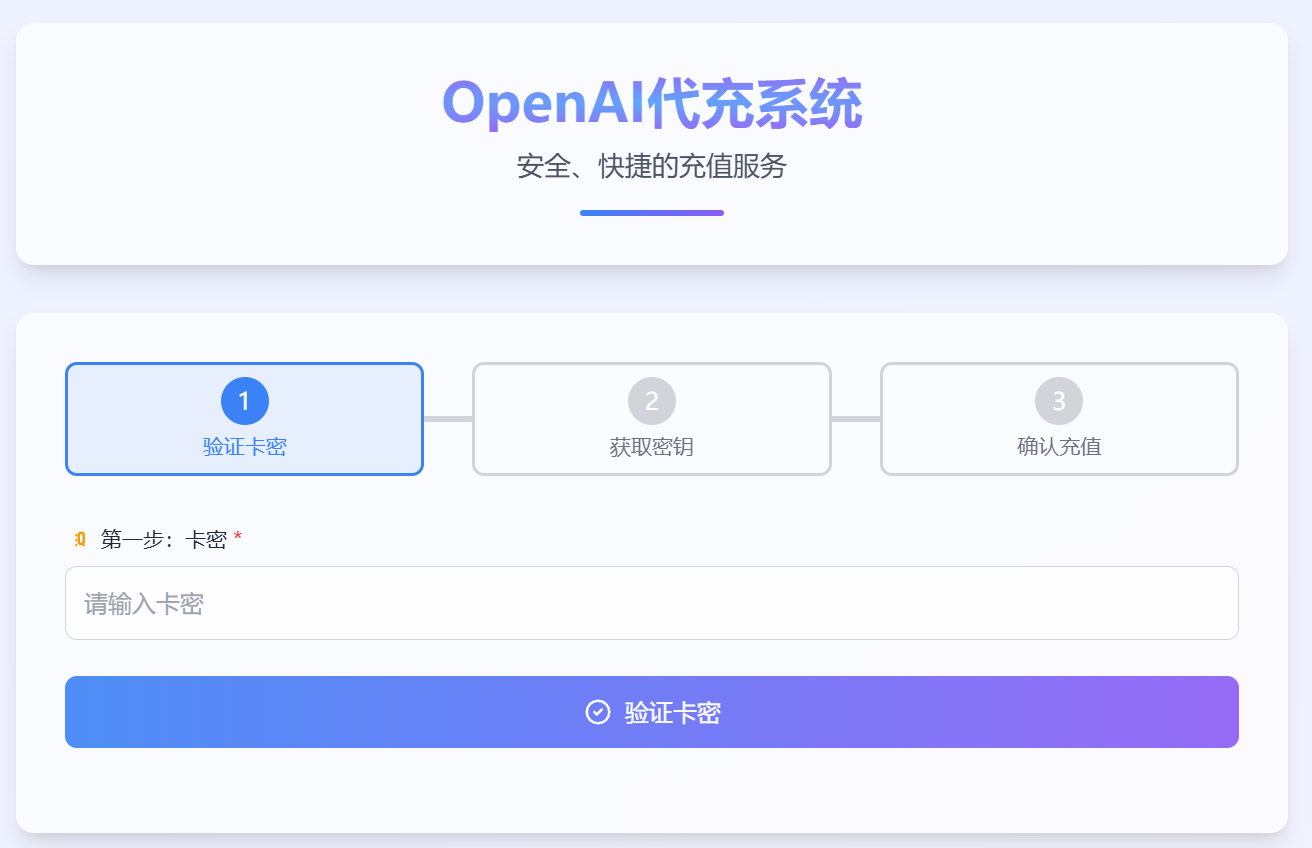
(3) After verification succeeds, the system displays the operating steps. If your ChatGPT account is not logged in, click [Go to Login]. (If you are doing the proxy top-up for a friend, it is recommended to log in using Google Chrome's incognito mode.) Users who are already logged in can simply click [I'm Logged In].
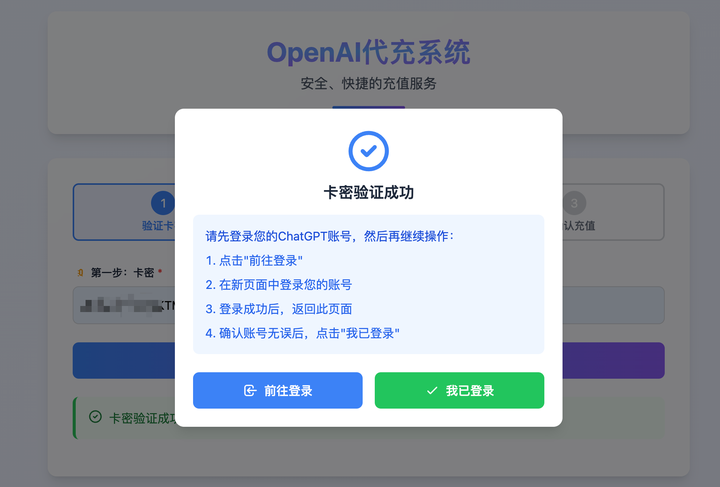
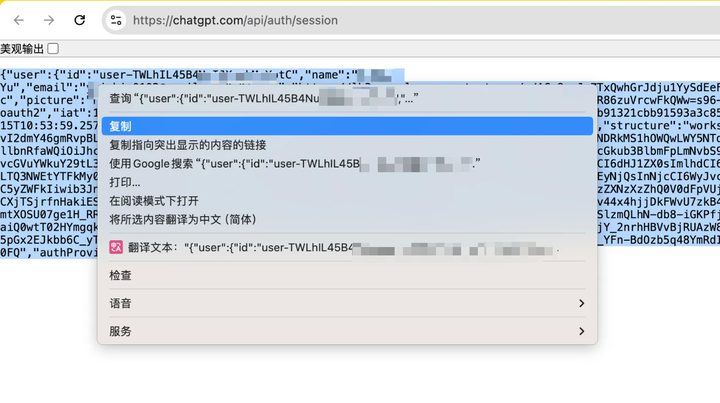
(4) The system opens the page in a new window and automatically recognizes the key information of your currently logged-in ChatGPT account. Note that this GPT key retrieval is based on the browser window and does not require entering your password.
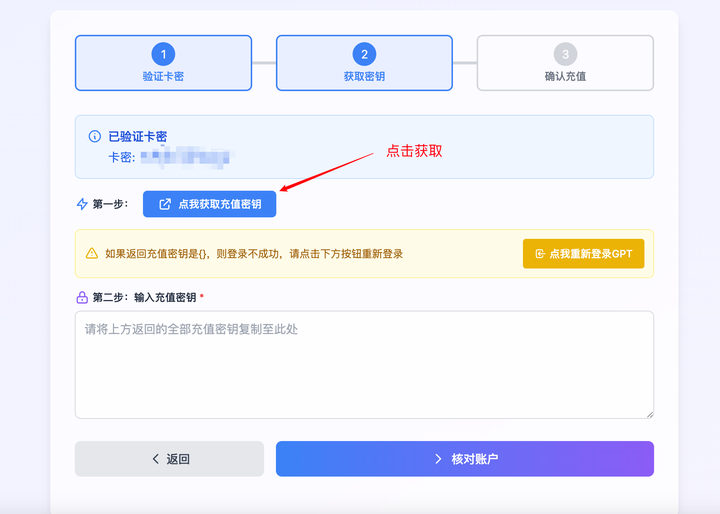
(5) Select all and copy the key information, return to the system, paste it, and click Verify Account. Once confirmed correct, proceed to the next step. (Avoid using the Ctrl + A shortcut, in case you accidentally copy content from browser extensions.)
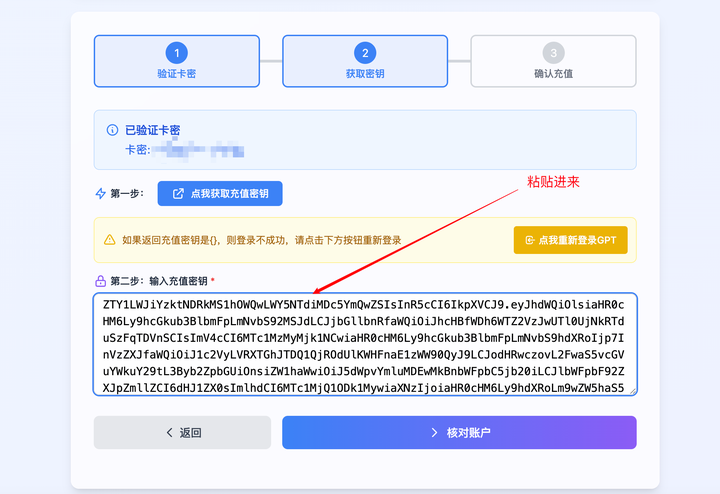
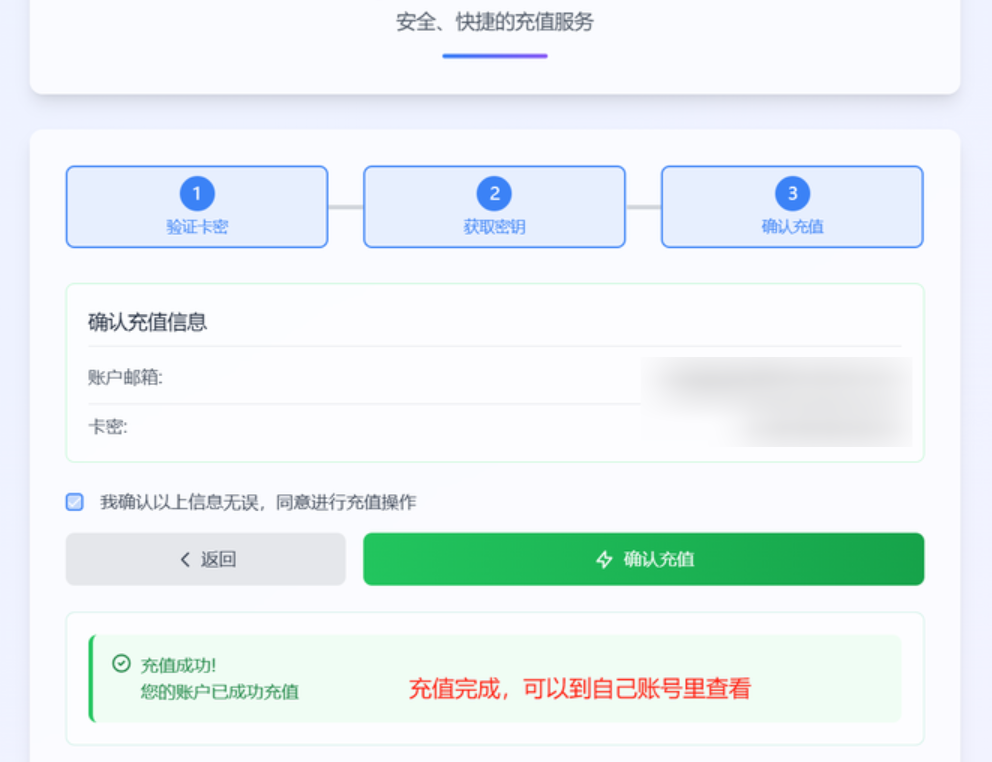
(6) After a successful top-up, return to the ChatGPT page within 1-2 minutes and you will see the Plus status. The entire ChatGPT Plus upgrade process is efficient and reliable.
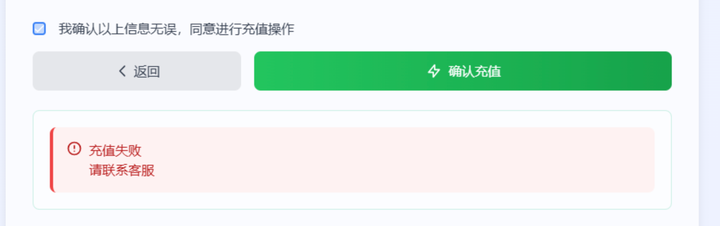
(7) If the top-up fails, it is usually because your current ChatGPT Plus subscription has not expired yet. Wait until it expires and try again. The system currently has no auto-renewal feature; once you confirm you are not in a Plus state, you can upgrade.
Finding a channel that can reliably support ChatGPT Plus proxy top-up for over a year is not easy. If you need it, bookmark the site now! If the top-up fails, you get a 100% full refund!
ChatGPT one-click upgrade system: https://gptpluszh.com/