GPT-5-Codex is Incredible! How to Use Codex CLI in China
Recently, while using Codex for Vibe Coding, I discovered that the latest Codex update has significantly improved its performance! GPT-5-Codex is as powerful as Claude Opus. Bugs that used to trouble me for a long time were easily solved today.
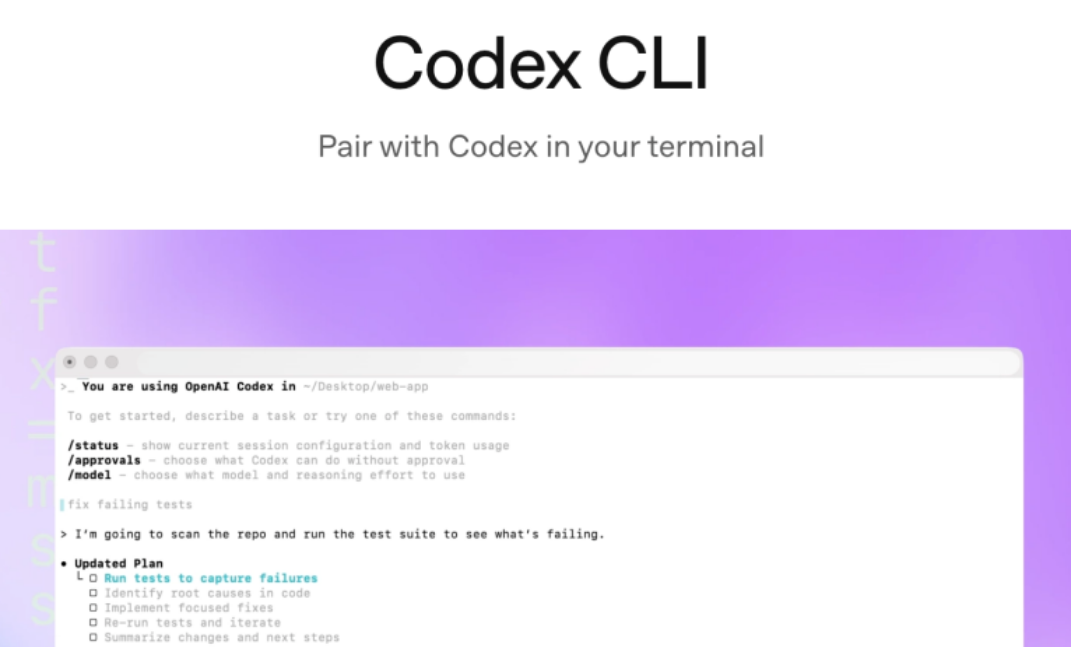
Why did I suddenly start using Codex?
At first, Codex was slower to respond and less recommended. But Claude Code has noticeably dropped in intelligence recently. Handling a single bug often requires multiple loops and still can't be fully resolved.
In the end, I had to fix it manually through "ancient programming".
Details of the Latest GPT-5-Codex Updates
Today's Codex is optimized based on the GPT-5 version, with significant improvements in handling complex tasks, building complete projects from scratch, adding features and tests, debugging, large-scale code refactoring, and code review!
GPT-5-Codex strictly follows user instructions, with no signs of intelligence downgrade at present.
To generate high-quality code, you only need to clearly describe your requirements — no need for lengthy explanations about code style or cleanliness.
GPT-5-Codex can work independently on large, complex tasks for over 7 hours!
The Difference Between GPT-5 and GPT-5-Codex
If you call GPT-5 directly in the ChatGPT web version for programming, it isn't specially optimized for that purpose. It's recommended to use the Codex tool directly instead.
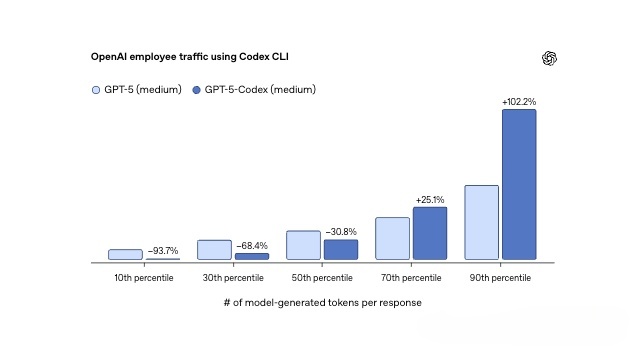
That's because GPT-5-Codex thinks more deeply, spending twice the time on reasoning, code editing, testing, and iteration.
According to OpenAI employee data, for the bottom 10% of user turns ranked by tokens generated per model (including hidden reasoning and final output), GPT-5-Codex uses 93.7% fewer tokens than GPT-5.
Which Users Can Use Codex?
Codex is currently limited to ChatGPT members, including Plus, Pro, Team, Edu and other membership tiers.
📊 Codex quotas vary greatly across membership tiers: Plus, Pro, and Business have completely different 5-hour limits for each model — GPT-5.4 / 5.4-mini / 5.3-Codex. Check the GPT business quotas vs latest Codex allocation comparison for specific numbers. If you're considering upgrading to Pro, see ChatGPT Pro 5x vs 20x difference explained to pick the tier that suits you best.
If you don't know how to upgrade your ChatGPT membership, you can use the one-click upgrade system for China I built with Codex, which takes just a few minutes.
GPT one-click upgrade system: https://gptpluszh.com/
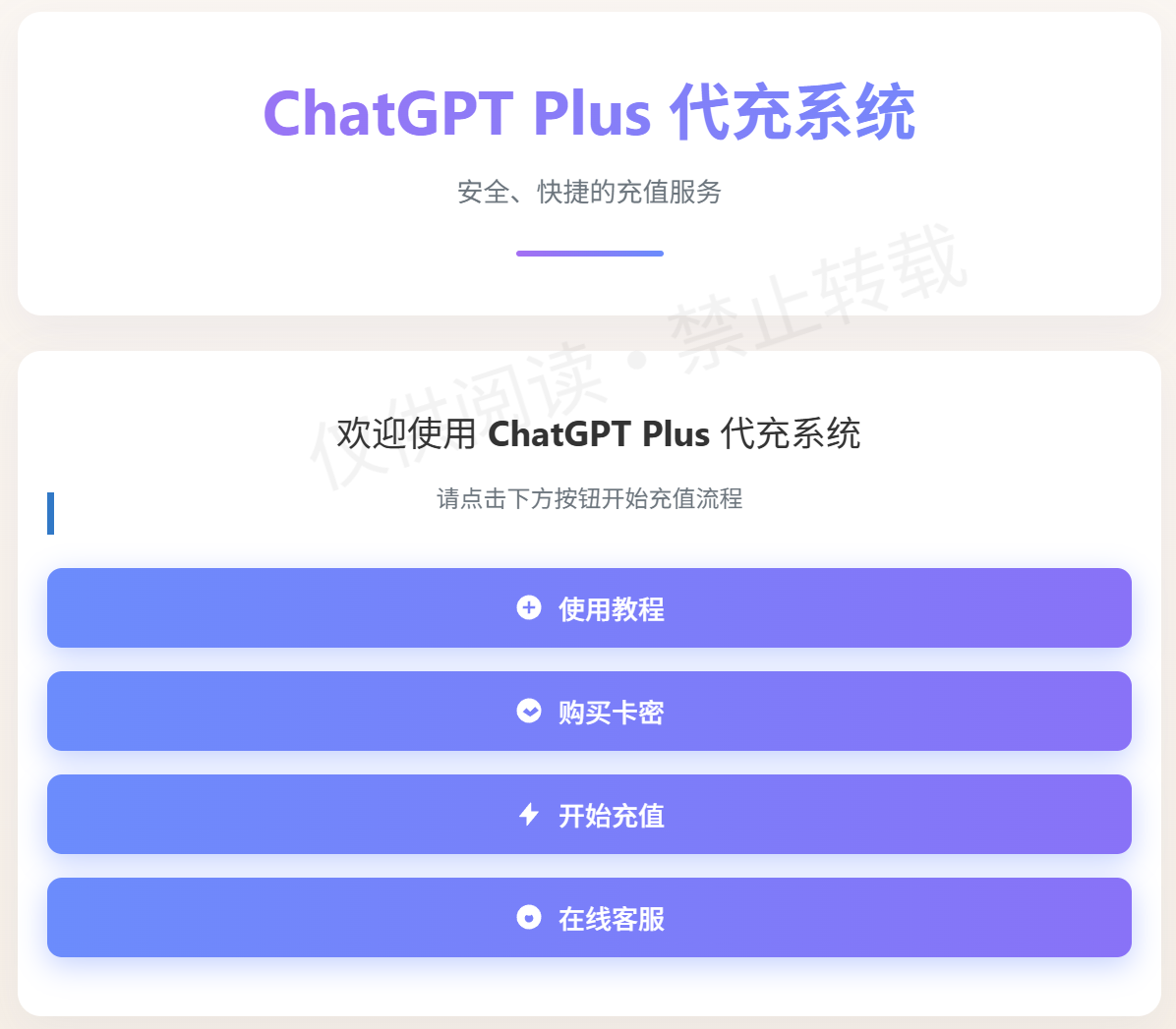
It's especially suitable for beginners — no need for a foreign credit card to bind and top up your GPT account. It supports recharging your GPT account directly, without passwords or foreign virtual cards, and is safe and fast.
How to Use Codex? Three Methods Explained
Codex usage methods: web version, IDE extension, and Codex CLI terminal.
GPT-5-Codex is designed for Codex CLI, the Codex IDE extension, Codex cloud environments, and GitHub collaboration, and also supports integration with a variety of tools.
Codex Web Version Tutorial (Beginner-Friendly)
The Codex feature in the ChatGPT web version is ideal for beginners, as it avoids the hassle of installation and authorization.
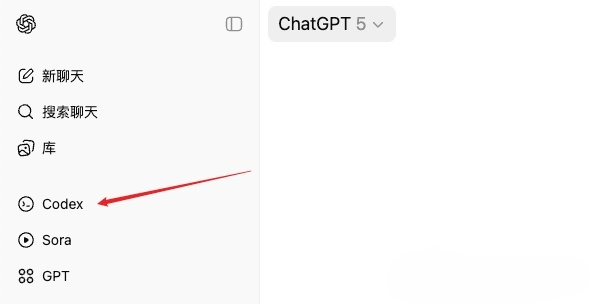
The web version requires connecting a GitHub account for source code management.
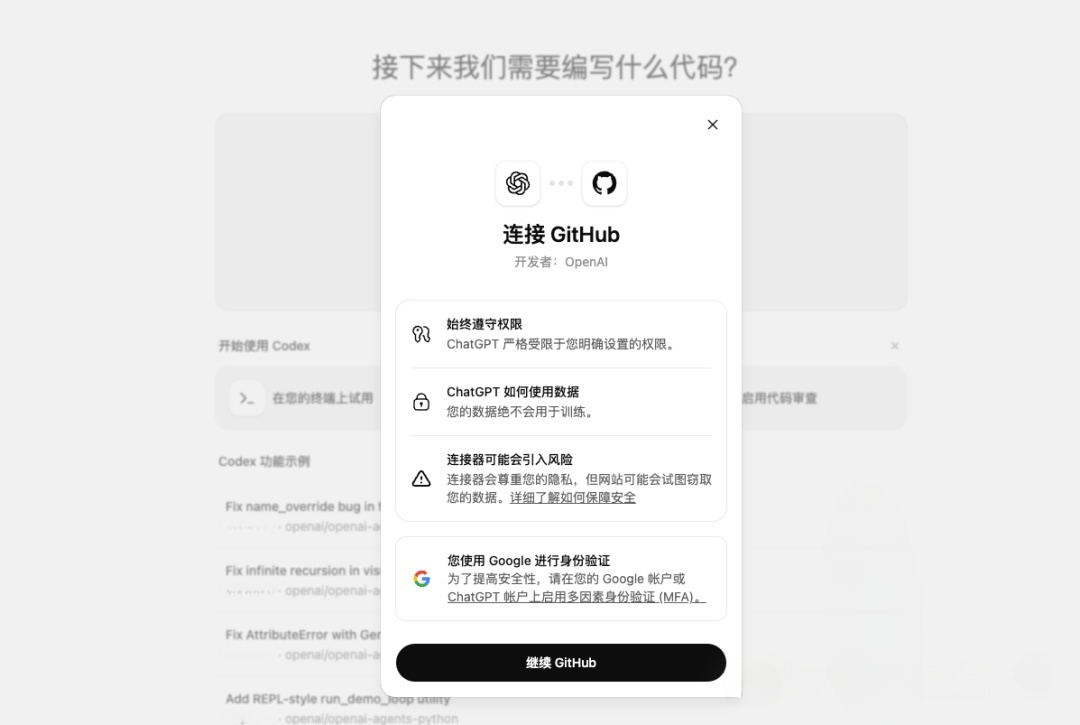
If you already have a GitHub account, just click continue and authorize. If you don't have one, you can quickly register using a Google email.
Next, create an environment, i.e., a GitHub repository. Users familiar with GitHub can do this directly; if you're unsure, you can ask ChatGPT.
If you don't have a repository, create an empty one on GitHub, then refresh Codex.

Once you select an environment, you can start programming. Note: when a repository is set to public, others can access it.
Now you can program directly in the web page! For users who want to try it out quickly, this is the most convenient method.
Codex CLI Installation & Usage Tutorial (for China)
Codex CLI officially supports macOS and Linux. Windows support is experimental, and running it in WSL is recommended.
If you're a programmer or prefer local development, you can install the IDE plugin or Codex CLI.
Install it with your preferred package manager, such as NPM or Homebrew.
Before installing via NPM, make sure the NodeJS environment is installed (a detailed tutorial may come later, or you can ask GPT).
Install using npm:
npm install -g @openai/codexRun Codex by typing in the terminal:
codex
The first time you run Codex CLI, it will prompt you for authentication.
It's recommended to log in with your ChatGPT account first. Note: Free users cannot use Codex.
If you're not a member, upgrade to Plus — there's a weekly quota limit, but it's more than enough for normal use.
To upgrade your GPT membership in China, you can use the one-click upgrade system I built with Codex:
GPT one-click upgrade website: https://gptpluszh.com/
Both this website and the system were built using Codex for Vibe Coding! If you're interested, feel free to visit and admire its elegant design.
With the steps above, users in China can easily install and use Codex CLI to boost their coding efficiency. The powerful capabilities of GPT-5-Codex will supercharge your development journey!